The modern digital menu

Your restaurant,
one scan away.

Give every guest a beautiful menu to explore, personalize, and order from—while your team stays completely in control.
Free accountNo card requiredReady in minutes
New WhatsApp order2× California Roll● Ready for your team
Scan to
view menu
Zero app downloadsGuests scan and browse instantly
Update in secondsPrices and availability stay current
Made for your brandColours, photos, language and more
Built for the whole experience

More than a QR code on the table.

Menova gives your guests an easier way to choose, and gives your team a simpler way to run the menu.

Menus guests enjoy exploring

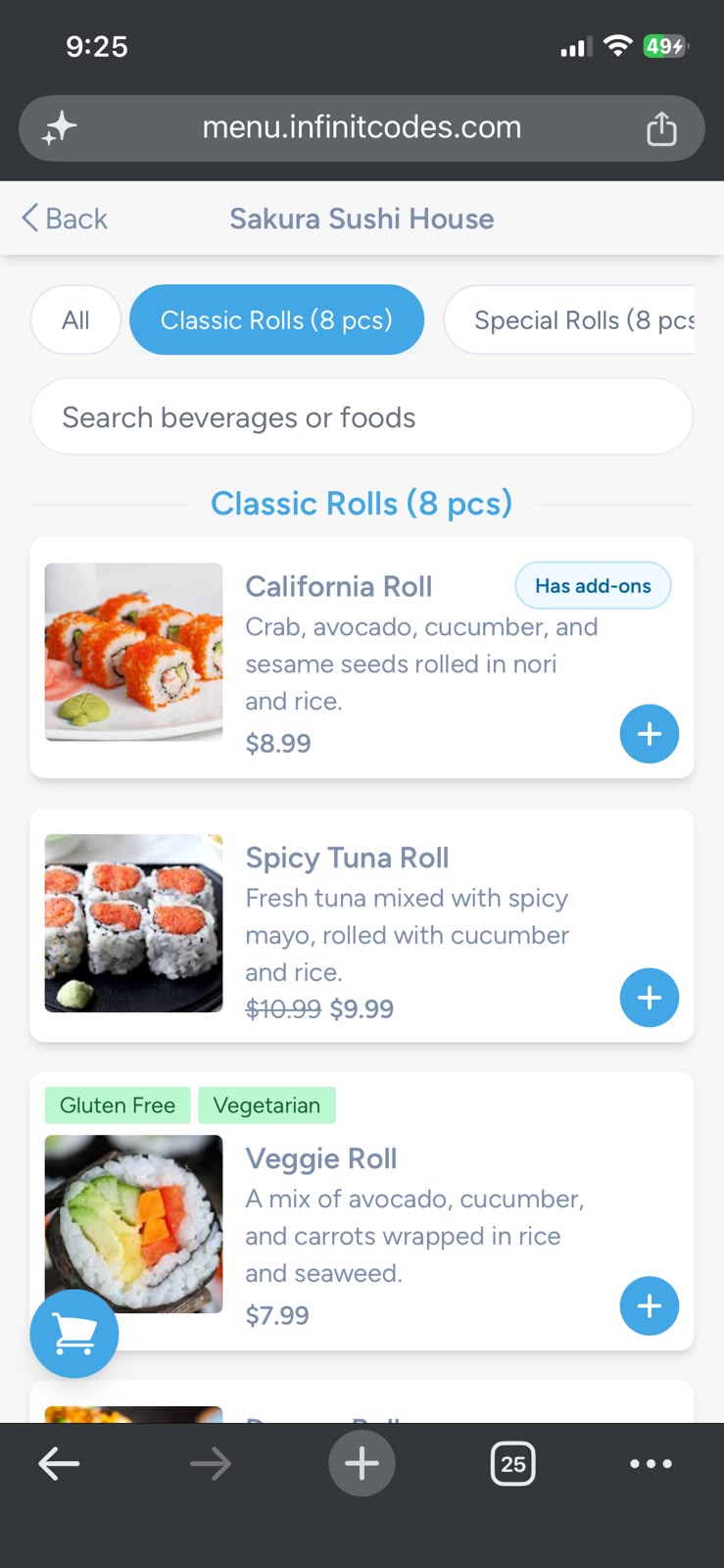
Beautiful categories, food photography, special offers, and dietary information make every choice clearer.

WhatsApp ordering

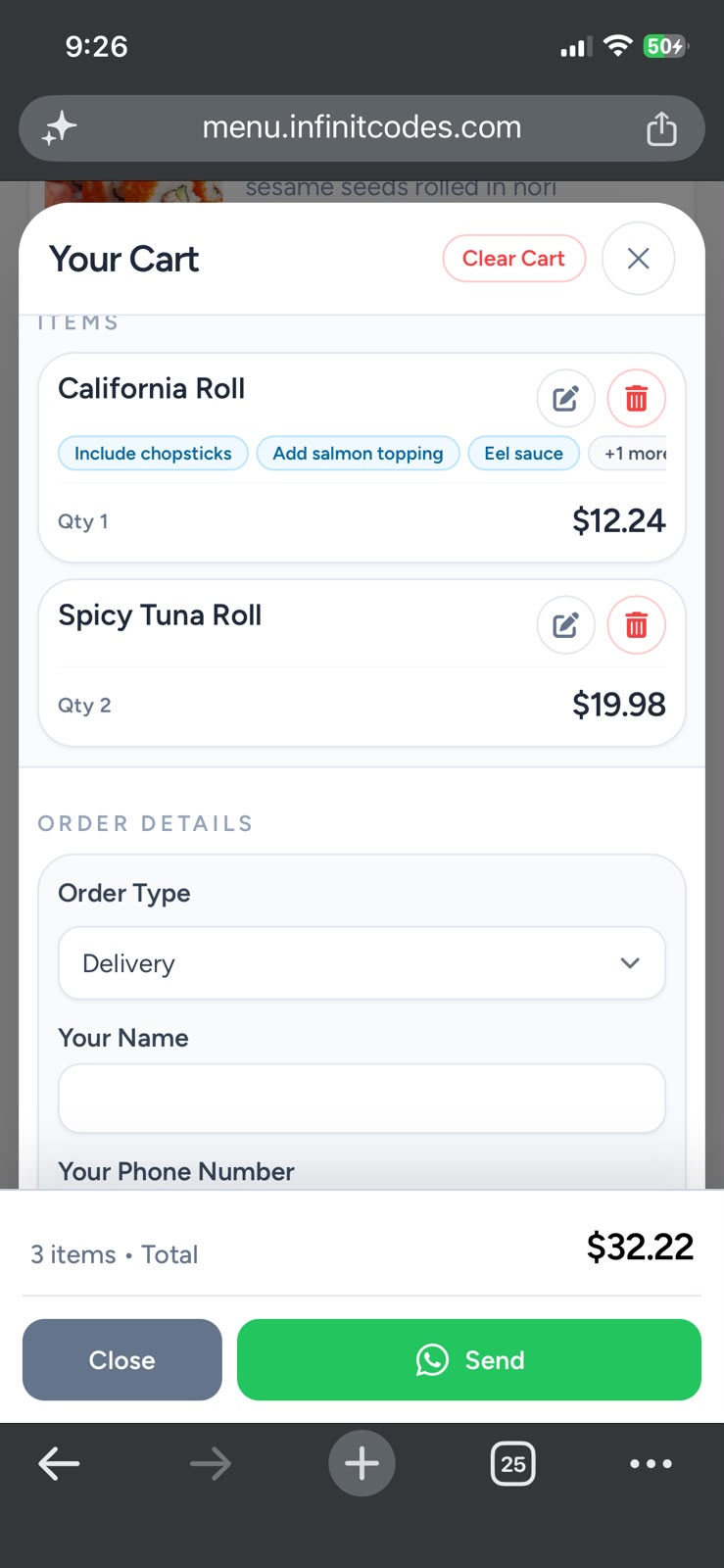
Turn a menu visit into an order with a familiar ordering flow your guests already use.

Arabic & English

Welcome more guests with bilingual menus and the language that feels right for them.

Choices made simple

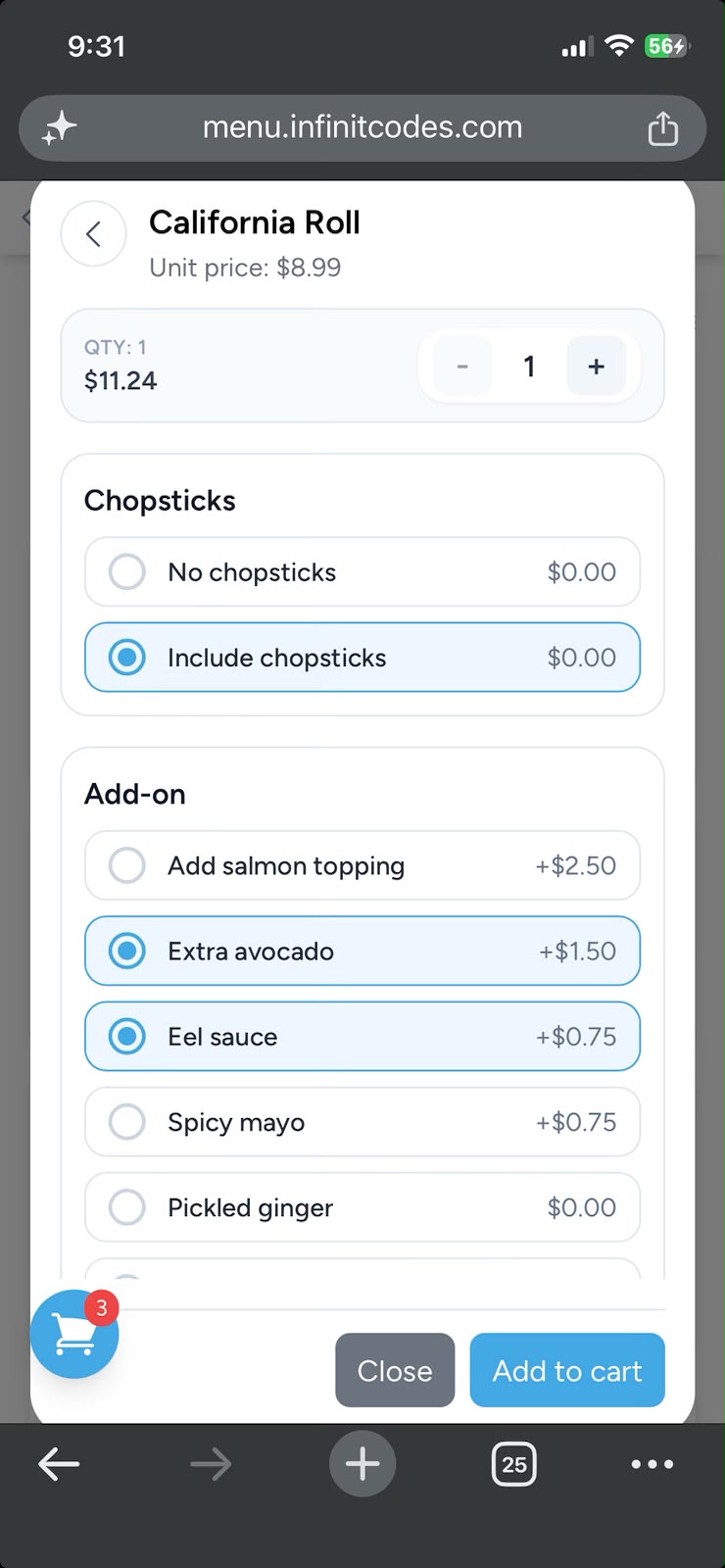
Let guests choose extras, required options, and add-ons without back-and-forth messages.

Looks like your restaurant

Set your colours, logo, contact details, social links, locations, and menu imagery.

Control from anywhere

Change prices, pause an item, manage orders, or import your list in bulk whenever you need.

A menu your guests understand

From first scan to confirmed order, it feels effortless.

Make your menu feel like a helpful part of the dining experience—not a static PDF or a confusing list.
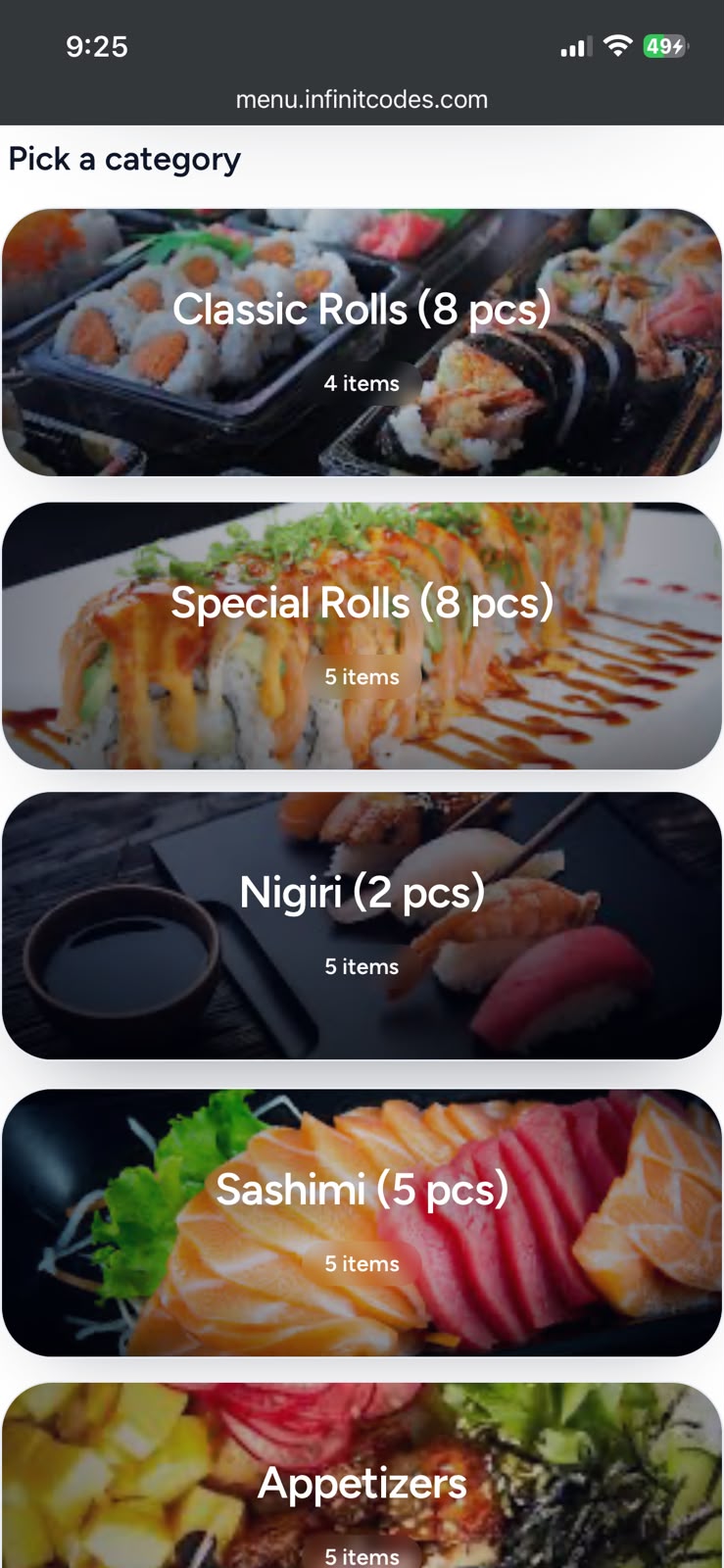
Make every item easy to choosePhotos, prices, descriptions, offers and dietary labels live where guests need them.
Keep the conversation movingSend complete orders to WhatsApp, with every selected add-on included.
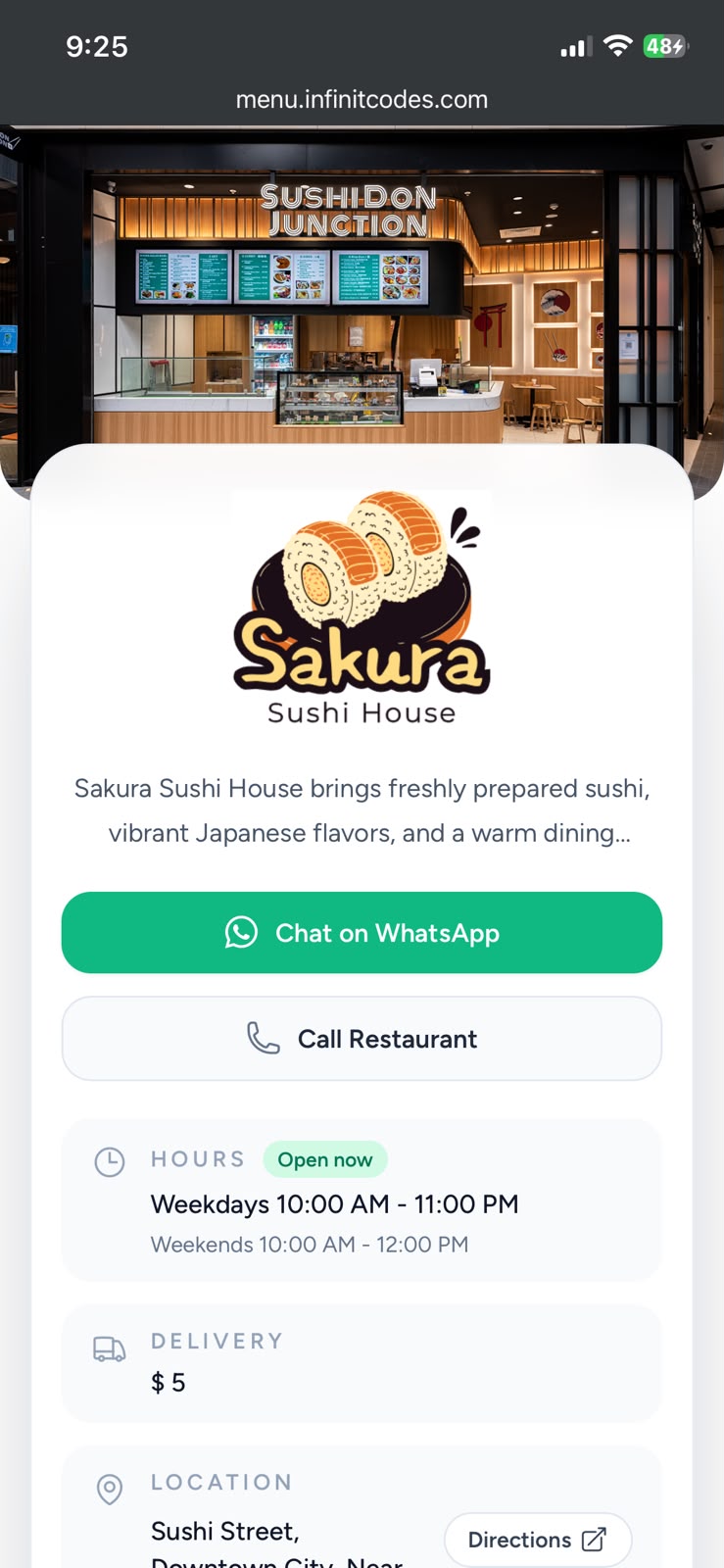
Stay open on your termsShare opening hours, delivery rules, locations, maps, and direct contact options.
Start with a free account
Menu categories previewDiscover
Menu items previewBrowse
Add-ons menu previewExplore
WhatsApp ordering previewOrder
Simple from the start

Launch your restaurant menu in three steps.

No designer, app download, or technical setup required.

01

Create your restaurant

Start your free account and add the details guests need to know.

02

Make the menu yours

Add categories, items, photos, colours, languages, offers, and add-ons.

03

Share one simple scan

Download your QR code and let guests discover your menu instantly.

Start with confidence

Try Menova free. Let your menu do the talking.

Create your menu, share the QR code, and see how it feels for your guests and team before choosing anything else.

No card requiredStart creating without a payment step.
Set up at your own paceAdd your food, styling, languages and order options.
Choose later, with clarityExplore the value first, then select the plan that fits.
Frequently asked questions

Everything you need to start with confidence.

Still have a question? Our team is happy to help you get your menu live.

Talk to us on WhatsApp →
Do my customers need to download an app?

No. Guests scan your QR code with their phone camera and the menu opens in their browser instantly.

Can I update my menu after it is shared?

Yes. Update prices, availability, descriptions, photos, categories, and more at any time. Changes appear right away.

Can I offer Arabic and English?

Yes. Menova supports Arabic and English menus, with a default language you choose for your restaurant.

How does WhatsApp ordering work?

Guests choose their items and options, then send the complete order to your restaurant through WhatsApp.

What happens after my free trial?

You can choose the plan that fits your restaurant when you are ready. There is no card required to start your trial.

Give every guest a better way to choose.

Create your free Menova account, add your menu, and have a polished QR experience ready to share in minutes.

Create my free menu →

Terms & Conditions

Welcome to Menova. By registering for, accessing, or using our platform, you agree to these Terms & Conditions.

Using Menova

You must provide accurate account and restaurant information, keep your login credentials secure, and use the service only for lawful restaurant-related purposes.

Your account and subscription

Some Menova features are available through paid plans. Plan availability, limits, and pricing are shown before you subscribe. Fees are non-refundable unless we state otherwise.

Your restaurant content

You are responsible for the menu content, pricing, images, descriptions, and business information you publish through Menova.

Need help?

For questions about these terms, contact us at menova@infinitcodes.com.

Privacy Policy

Your privacy matters to us. This policy explains the information Menova collects and how we use it to provide the service.

Information we collect

This can include account details, restaurant information, menu content, support communications, and subscription-related information. Payment information is handled by the relevant payment provider.

How we use information

We use your information to operate and improve Menova, provide support, manage subscriptions, keep the platform secure, and communicate important service updates.

Data protection

We use reasonable safeguards to protect information from unauthorized access, loss, or misuse.

Privacy questions

For privacy concerns, contact us at menova@infinitcodes.com.